

Introduction
In the last few years, mobile gaming has changed dramatically. Games such as battle royale, racing, open-world titles, multiplayer shooters, cloud gaming platforms, and other graphics-intensive applications can run smoothly on modern smartphones. The increased performance creates a better gaming experience, but it also creates one problem: heat.
The processor, graphics hardware, display, battery, and internet connection may all be working simultaneously during a long gaming session. It is possible for the smartphone to become hot or warm as the workload increases. Thermal throttling occurs when a device reduces performance to manage temperature. One of the reasons external cooling accessories are becoming increasingly popular among mobile gamers is because of this.
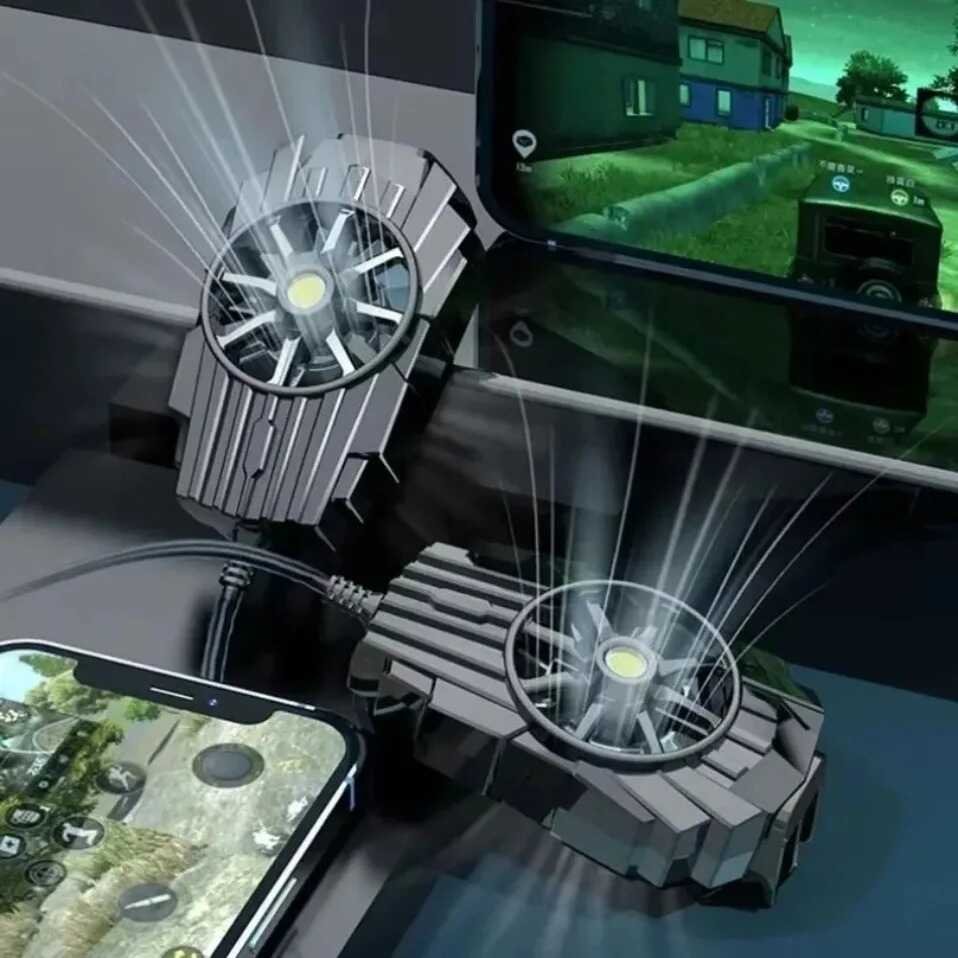
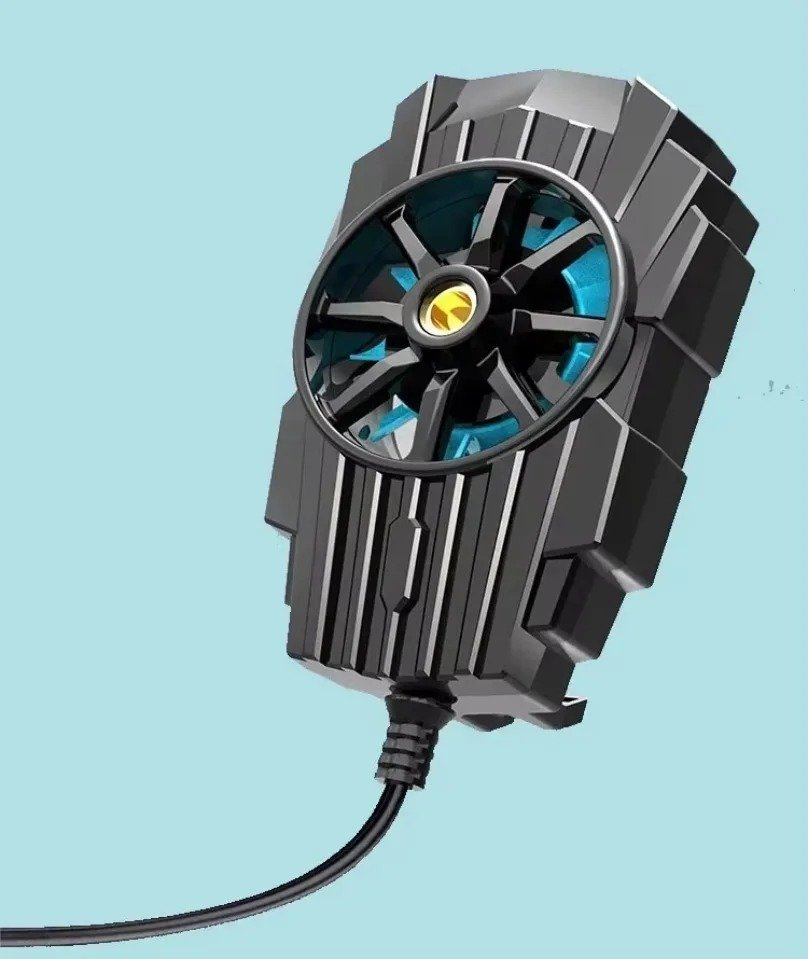
The purpose of a phone cooler for gaming is to provide additional cooling support around the smartphone. This guide covers a compact mobile radiator designed for gaming and intensive smartphone use. A high-speed fan with an advertised speed of approximately 5000 RPM and a compact back-mounted design provide active air cooling.
Table of Contents
The small accessory can be added to mobile gaming setups instead of carrying a large cooling system.
In this guide, we explore the product in detail, including its specifications, purpose, design, cooling technology, compatibility, benefits, and important considerations.
Product Overview
This portable mobile cooler is designed as a compact smartphone accessory for users who experience heat during gaming or other demanding activities.
It is not the main purpose of a phone cooler for gaming to increase the smartphone’s processor power. Its purpose is to provide additional airflow and to help the phone manage heat during extended use.
The product information highlights several important features:
- Compact portable design
- Active air-cooling system
- Approximately 5000 RPM fan speed
- Copper-ring motor design
- Designed for mobile gaming
- USB-powered operation
- Compatibility intended for iOS and Android devices
- Suitable for smartphones used for intensive applications
- Approximate dimensions of 55 × 49 × 34 mm
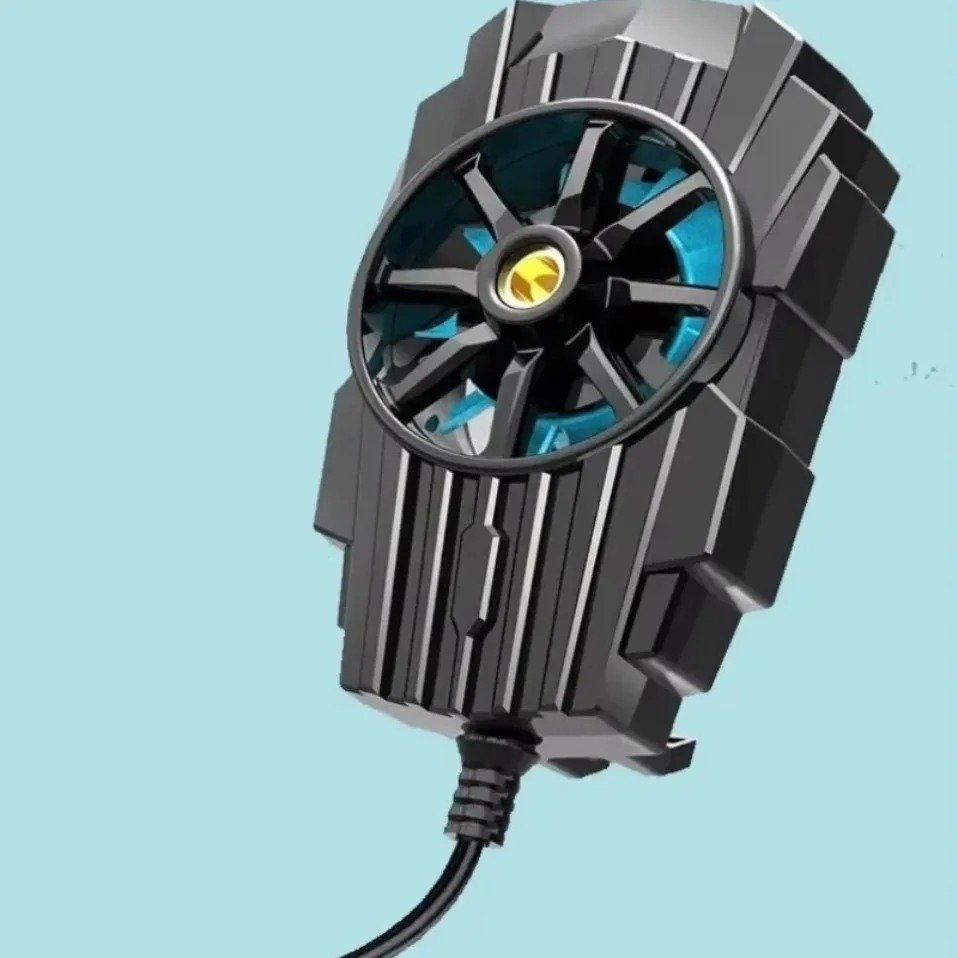
One of the strongest characteristics of the product is its compact size. Small enough to be portable, it measures 55 x 49 x 34 mm.
Quick Specifications Table
| Feature | Product Information |
|---|---|
| Product Type | Portable mobile phone cooler |
| Primary Use | Mobile gaming and smartphone cooling |
| Cooling Method | Active air cooling |
| Fan Speed | Approximately 5000 RPM |
| Motor Design | Copper-ring motor |
| Power Connection | USB cable |
| Compatibility | iOS and Android smartphones |
| Approximate Size | 55 × 49 × 34 mm |
| Brand | VIKFON |
| Main Function | Additional heat dissipation support |
These specifications make the accessory particularly relevant for users who want a compact phone cooler for gaming instead of a larger desk-based cooling solution.
Why Do Smartphones Get Hot During Gaming?
The size of a smartphone is extremely compact. Manufacturers place a processor, graphics system, battery, memory, cameras, antennas, and other electronic components inside a thin body.
When playing a demanding game, several systems may operate at high levels simultaneously.
1. Processor and Graphics Workload
Game calculations, background processes, and general device operations are handled by the processor. In the same time, the graphics hardware renders images, effects, environments, characters, and animations.
Higher graphics settings can increase the amount of work required from the hardware.
2. High Refresh Rate Displays
Displays with higher refresh rates are available on many modern smartphones. Maintaining a higher frame rate may create smoother movement, but it may also increase the device’s workload.
3. Internet Connectivity
A constant network connection is required to play online games. During long sessions, Wi-Fi, mobile data, and especially high-speed connections can consume a lot of power.
4. Long Gaming Sessions
A five-minute game and a two-hour gaming session create very different thermal conditions.
The longer the smartphone operates under heavy load, the greater the chance of heat accumulating inside the device.
5. Heat Build-Up Process
GAME STARTS
     ↓
CPU + GPU WORK HARDER
     ↓
POWER CONSUMPTION INCREASES
     ↓
HEAT IS GENERATED
     ↓
PHONE TEMPERATURE RISES
     ↓
PERFORMANCE MAY BE MANAGED
This is where a phone cooler for gaming can be useful. It is not possible to remove every source of heat inside the phone with an external cooling accessory. However, it can improve airflow around the phone.
Understanding Thermal Throttling
Thermal throttling is a protective process used by electronic devices when temperatures become too high.
The operating speed of certain components may be reduced when a smartphone detects excessive thermal conditions. The device can be protected and controlled by this method.
For gamers, this may sometimes result in:
- Performance fluctuations
- Reduced frame stability
- Lower graphics performance
- A warmer device
- Reduced comfort during long sessions
Gaming phone manufacturers themselves increasingly focus on advanced cooling systems because sustained heat can affect performance during intensive workloads.
However, it is important to have realistic expectations.
An external support accessory for gaming is a phone cooler. It will not transform a low-performance phone into a flagship device, and it will not guarantee the same results for every smartphone.
The effectiveness can depend on:
- Phone model
- Internal cooling system
- Ambient temperature
- Game settings
- Phone case thickness
- Duration of use
- Cooler placement
Compact Design for Portable Gaming
One of the biggest advantages of this cooler is its relatively compact structure.
The approximate dimensions of 55 × 49 × 34 mm make it suitable for users who want a portable gaming accessory.
Product Size Infographic
┌──────────────────────────────┐
│   COMPACT MOBILE COOLER      │
├──────────────────────────────┤
│ Width:  Approx. 55 mm        │
│ Height: Approx. 49 mm        │
│ Depth:  Approx. 34 mm        │
└──────────────────────────────┘
Because of its small size, the cooler can potentially become part of a portable gaming setup.
A Simple Mobile Gaming Setup
SMARTPHONE
     +
PHONE COOLER FOR GAMING
     +
USB POWER
     +
HEADPHONES
     =
PORTABLE GAMING SETUP
This type of setup can be useful at home, while travelling, or anywhere a user wants to play games without carrying large equipment.
How Does a Phone Cooler for Gaming Work?
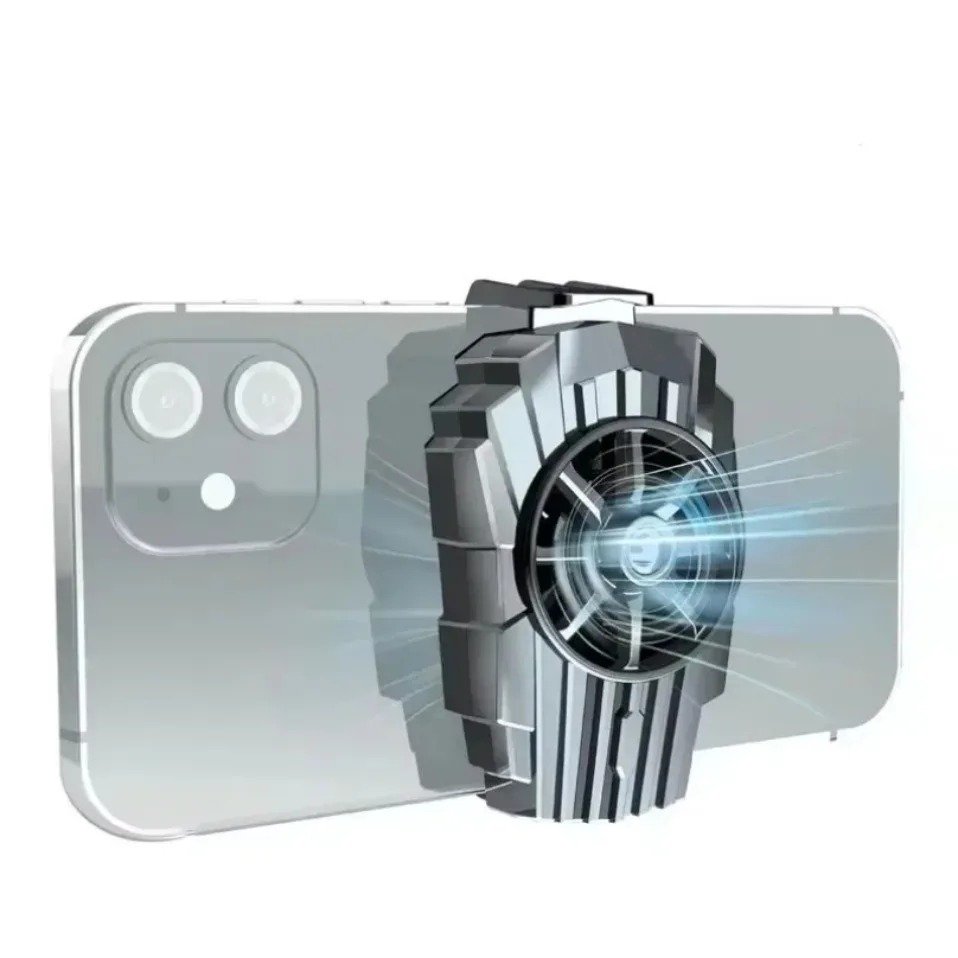
During demanding gaming, a phone cooler provides additional airflow around a smartphone. With a built-in high-speed fan, this portable VIKFON cooler uses active air cooling.
It is a straightforward principle. A demanding game generates heat in the phone’s internal components. Eventually, some of this heat reaches the smartphone’s outer body. By creating airflow around the rear area of the device, the external cooler supports natural heat dissipation.
The Basic Cooling Process
SMARTPHONE UNDER HEAVY LOAD
            ↓
      HEAT IS GENERATED
            ↓
  HEAT REACHES PHONE BODY
            ↓
 PHONE COOLER IS ATTACHED
            ↓
 HIGH-SPEED FAN CREATES AIRFLOW
            ↓
 ADDITIONAL COOLING SUPPORT
As a result of this process, no unrealistic promises will be made, such as keeping every smartphone cold all the time. Processors, internal cooling systems, and body materials differ between phones.
Phone coolers for gaming are designed to become an integral part of the phone’s overall thermal management system.
Approximately 5000 RPM Fan Performance
One of the important specifications of this portable cooler is its advertised fan speed of approximately 5000 RPM.
RPM stands for revolutions per minute. Basically, it measures how many rotations a fan makes in a minute.
5000 RPM
   ↓
APPROXIMATELY 5000 FAN ROTATIONS
PER MINUTE
   ↓
CONTINUOUS AIRFLOW
   ↓
ADDITIONAL HEAT DISSIPATION SUPPORT
Why Is Fan Speed Important?
Air is moved through and around the cooling system by the fan. RPM alone doesn’t determine the complete cooling performance. Faster rotation can help generate stronger airflow.
Other factors can also affect the final result:
- Fan blade design
- Motor efficiency
- Cooler positioning
- Distance from the smartphone
- Ambient temperature
- Smartphone body material
- Internal phone cooling system
Therefore, the approximately 5000 RPM specification should be considered as one part of the overall design.
High-Speed Cooling in a Compact Device
The interesting feature of this product is that it combines a high-speed fan with a compact body measuring approximately 55 × 49 × 34 mm.
This creates a portable solution for users who do not want a large desktop fan or complicated cooling setup.
A phone cooler for gaming like this can potentially be carried with other accessories and connected through USB power when needed.
Copper-Ring Motor Design
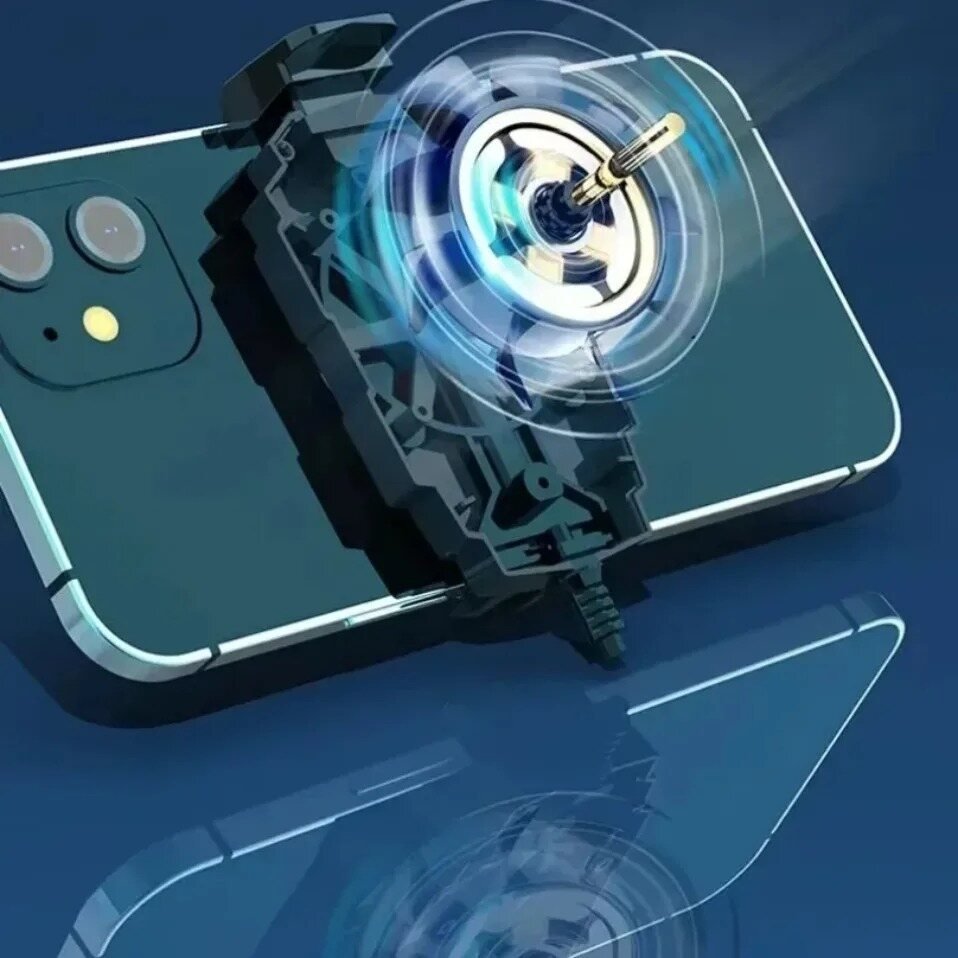
The motor is one of the most important components in an active cooling accessory because it drives the fan.
What Does the Motor Do?
The process can be simplified as:
USB POWER
    ↓
MOTOR RECEIVES POWER
    ↓
MOTOR CREATES ROTATION
    ↓
FAN SPINS
    ↓
AIRFLOW IS PRODUCED
Why Compact Cooling Technology Matters
A desktop cooling system has plenty of space for larger fans and components.
A smartphone accessory does not.
The cooler needs to balance:
- Compact size
- Portability
- Fan speed
- Airflow
- Power requirements
This product is designed around that compact mobile accessory concept.
Key Benefits of Using a Phone Cooler for Gaming
The benefits of an external cooler can vary from one smartphone to another, but there are several reasons why mobile gamers use these accessories.
1. Additional Airflow Support
The main benefit is additional active airflow around the smartphone.
During demanding gaming sessions, this can provide extra cooling support beyond the phone’s internal thermal system.
2. Better Comfort During Long Sessions
A warm smartphone can become uncomfortable to hold.
An external phone cooler for gaming may help users manage the temperature of the rear area of the device during extended use.
3. Portable Gaming Accessory
The approximate dimensions of 55 × 49 × 34 mm make this cooler relatively compact.
It can potentially fit into:
- A backpack
- Gaming accessory pouch
- Travel bag
- Desk drawer
- Small electronics case
4. USB-Powered Convenience
The product uses USB power, allowing users to connect it to a suitable power source.
Potential setup options may include:
- USB power adapter
- Power bank
- Computer USB port
This flexibility makes the phone cooler for gaming suitable for portable setups.
Compatibility with iPhone and Android Smartphones
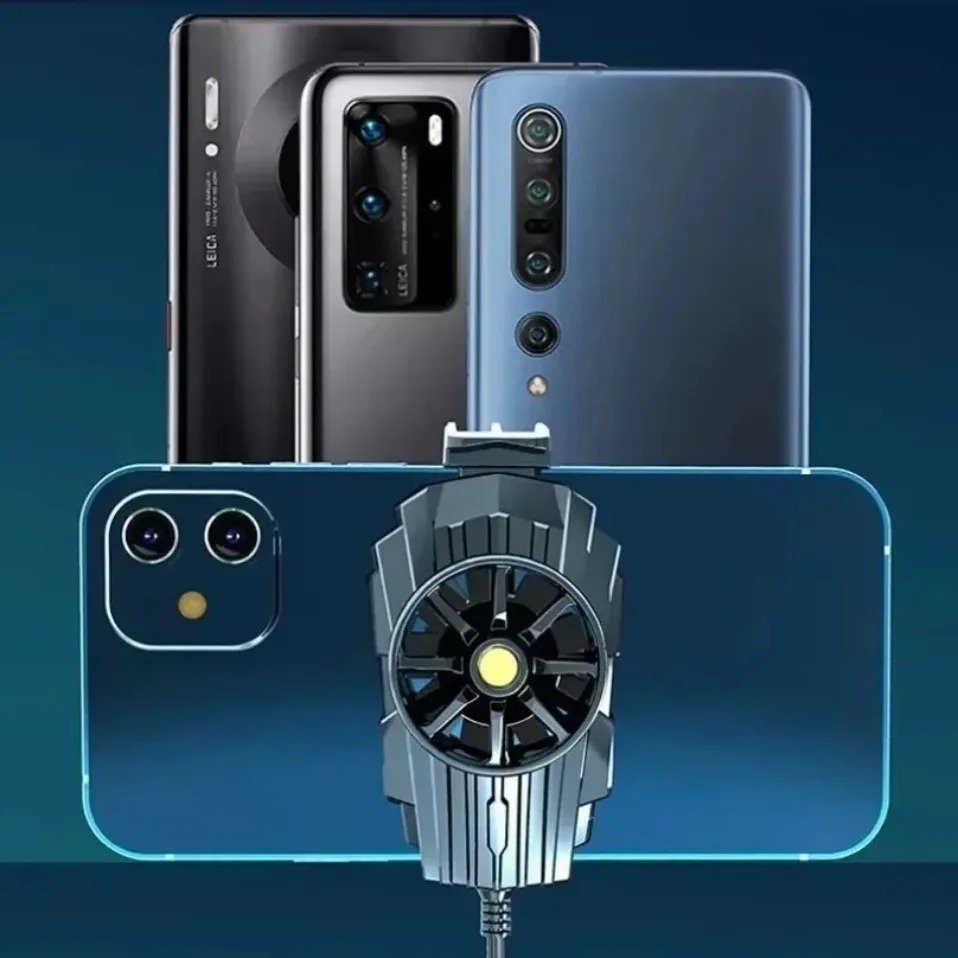
The product is intended for use with both iOS and Android devices.
This broad compatibility is useful because mobile gaming is popular across both smartphone ecosystems.
1. iPhone Gaming
Games and applications that are demanding can be run on modern iPhones. Gaming with streaming and screen recording may require additional cooling support for users who play for long periods of time.
2. Android Gaming
Android users have a wide variety of devices, including:
- Gaming phones
- Flagship smartphones
- Mid-range devices
- Large-screen phones
- Performance-focused models
A compact phone cooler for gaming can be considered as an additional accessory for these devices.
Important Compatibility Checks
Before purchasing or installing a mobile cooler, users should check:
- The size of their smartphone.
- The location of the camera module.
- Whether a phone case affects attachment.
- The available flat space on the rear of the device.
- The cooler’s attachment mechanism.
Different smartphones have different designs, so checking compatibility is always important.
How to Use a Phone Cooler for Gaming
It’s generally easy to use a phone cooler for gaming, but the right positioning can make a big difference. The cooler should fit securely since smartphones have different sizes, camera layouts, and rear designs.
Basic Usage Steps
- Check that the rear of the smartphone has enough suitable space.
- Remove a very thick phone case if it prevents proper attachment.
- Position the cooler on the appropriate rear area of the phone.
- Connect the USB cable to a suitable power source.
- Turn on the cooling system.
- Start your game or demanding application.
- Monitor the phone and make sure the accessory remains securely attached.
Simple Usage Flow
PREPARE PHONE
      ↓
ATTACH COOLER
      ↓
CONNECT USB POWER
      ↓
START FAN
      ↓
PLAY GAME
      ↓
ENJOY ADDITIONAL AIRFLOW
A phone cooler for gaming can be especially useful during longer sessions, high graphics settings, or demanding multiplayer gameplay.
Factors That Can Affect Cooling Performance
Every smartphone will experience different results. A number of factors can affect how effectively an external cooling accessory manages heat.
1. Ambient Temperature
A phone used in a hot room may have more difficulty releasing heat than a phone used in a cooler environment.
2. Phone Case Thickness
A thick protective case may create additional distance between the phone and the cooling accessory.
If the attachment method is affected, the user may need to remove the case before using the cooler.
3. Game Settings
Higher graphics settings can increase the workload placed on the smartphone.
LOW SETTINGS
      ↓
LOWER HARDWARE DEMAND

MEDIUM SETTINGS
      ↓
MODERATE DEMAND

HIGH GRAPHICS + HIGH FRAME RATE
      ↓
HIGHER PERFORMANCE DEMAND
      ↓
MORE HEAT MAY BE GENERATED
4. Gaming Duration
A short gaming session may not create the same level of heat as several hours of continuous gameplay.
For this reason, a phone cooler for gaming may be particularly useful for users who regularly play for extended periods.
Advantages of This Portable Mobile Cooler
The compact VIKFON cooler offers several potential advantages for smartphone users.
Main Benefits
- Compact and portable design
- Active air-cooling system
- Approximately 5000 RPM fan speed
- Copper-ring motor design
- USB-powered operation
- Designed for mobile gaming
- Intended for iOS and Android devices
- Small dimensions of approximately 55 × 49 × 34 mm
- Useful for portable gaming setups
- Can provide additional airflow support
Quick Benefits Infographic
COMPACT SIZE
      +
5000 RPM FAN
      +
ACTIVE AIRFLOW
      +
USB POWER
      +
MOBILE COMPATIBILITY
      =
PORTABLE GAMING COOLING SUPPORT
The combination of portability and active airflow makes this phone cooler for gaming suitable for users who do not want a large or complicated cooling setup.
Possible Limitations to Consider
A balanced buying decision should also consider possible limitations.
1. Results Can Vary
Cooling performance can depend on the smartphone, room temperature, game, and placement of the cooler.
2. USB Power Is Required
The cooler requires a suitable USB power source during operation.
3. Attachment Compatibility Should Be Checked
There are different designs for different smartphones. If the cooler will be positioned near cameras or other important areas, users should confirm that it can do so without interfering with them.
4. Fan Noise May Occur
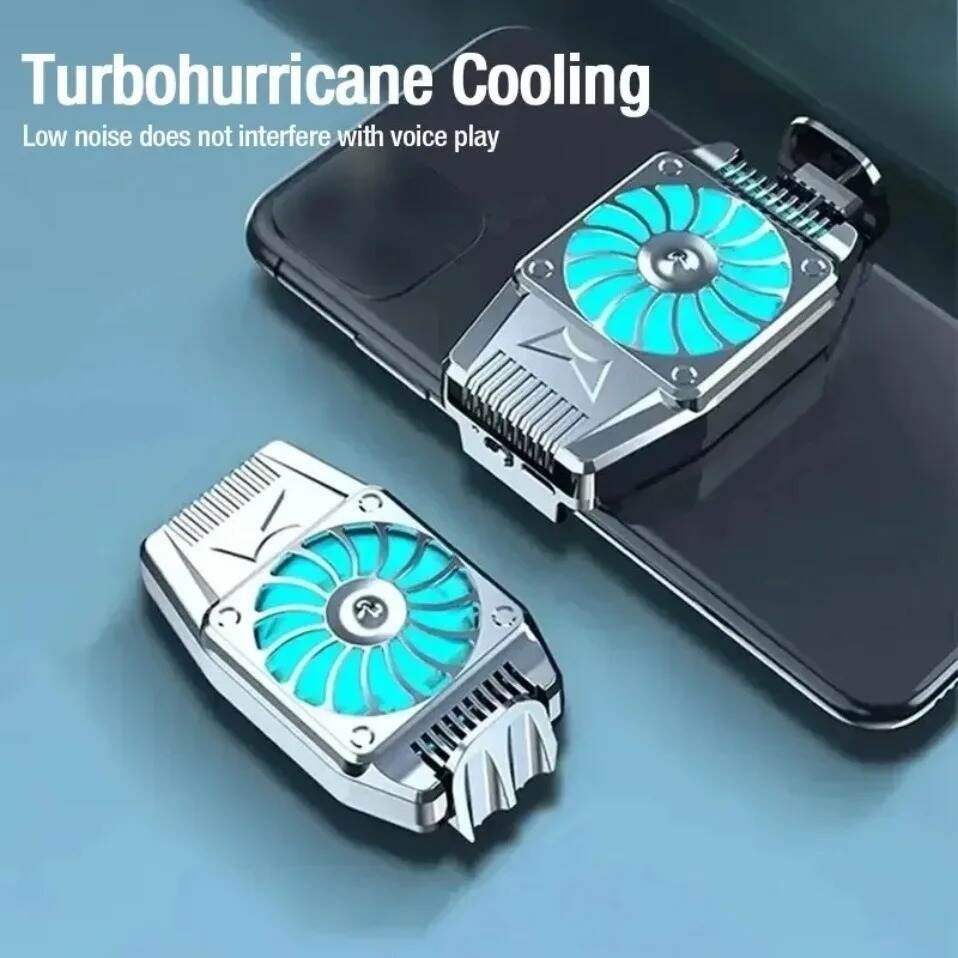
It is possible for a high-speed fan to produce some operational noise. Depending on the design and environment, the noise level may vary.
5. Advantages vs Considerations
| Advantages | Considerations |
|---|---|
| Compact design | Compatibility should be checked |
| Active airflow | Results vary between phones |
| Approx. 5000 RPM | Fan may create operational noise |
| USB-powered | Requires a power source |
| Portable | Phone case may affect fit |
| Gaming-focused | Does not replace internal cooling |
What to Check Before Buying a Phone Cooler for Gaming
Before choosing a phone cooler for gaming, consider these important factors.
1. Smartphone Size
Check whether the cooler can fit securely on your smartphone.
2. Camera Placement
Large camera modules may reduce the available space on the rear of some devices.
3. Attachment Method
Make sure the cooler can be attached securely and comfortably.
4. Power Source
Because this model uses USB power, consider where you will connect it during gaming.
Possible options include:
- USB charger
- Power bank
- Computer USB port
5. Your Gaming Habits
If you only play light games for a few minutes, an external cooler may not be necessary.
However, if you regularly play demanding games for long periods, a phone cooler for gaming may be a useful addition to your setup.
Maintenance and Care Tips
Proper care can help keep the cooling accessory in good condition.
Basic Maintenance Checklist
- Disconnect the USB cable before cleaning.
- Keep the fan area free from visible dust.
- Avoid pouring water directly onto the device.
- Store the cooler in a dry location.
- Avoid crushing it inside a bag.
- Check the USB cable regularly.
- Keep the product away from excessive moisture.
Why Cleaning Is Important
Over time, dust can affect airflow. It is important to keep the fan area reasonably clean in order to maintain normal operation.
It is important to keep the ventilation area clear when maintaining a phone cooler for gaming because airflow is essential.
Frequently Asked Questions
1. Does a phone cooler for gaming work with every smartphone?
Not necessarily. Size, rear design, camera placement, and attachment method determine compatibility.
2. Can I use the cooler while playing PUBG or other demanding games?
Mobile gaming is the primary target audience for this type of accessory. Depending on the smartphone and game settings, the actual cooling result may vary.
3. Is approximately 5000 RPM a useful feature?
Active airflow depends on fan speed. Fan design, positioning, motor performance, and the smartphone itself also affect overall cooling performance.
4. Does a phone cooler completely stop overheating?
No. External cooling is provided by a phone cooler for gaming. The heat generated inside a smartphone is not completely eliminated.
5. Can it be used with iPhone and Android?
The product is intended for use with iOS and Android smartphones. Individual compatibility should still be checked before purchase.
6. Can I carry it while travelling?
Yes. Its approximate dimensions of 55 × 49 × 34 mm make it compact enough for a portable gaming accessory setup.
Final Verdict
For gamers and other demanding activities, this portable VIKFON mobile cooler provides additional airflow.
It features an active air-cooling system, an approximately 5000 RPM fan, a copper-ring motor, a USB-powered operation, and a compact design measuring approximately 55 × 49 × 34 mm.
Those who frequently experience smartphone heat during extended gaming sessions may find a phone cooler useful.
