

Introduction
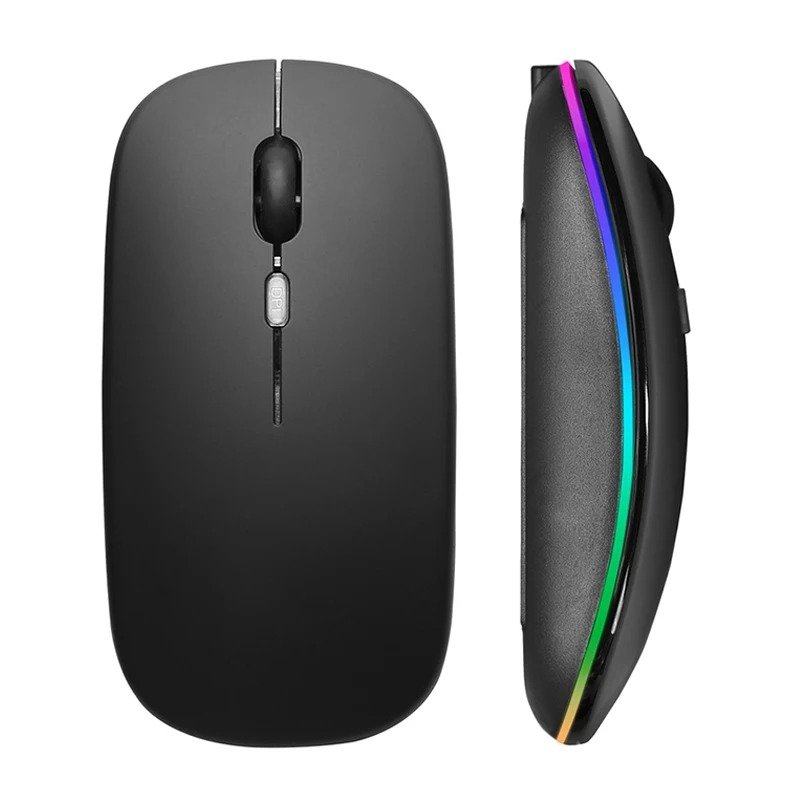
Among modern computer users, a Rechargeable Bluetooth Wireless Mouse is one of the most convenient accessories. Choosing the right mouse can improve comfort, productivity, and overall user experience, regardless of whether you work in an office, study at university, edit documents at home, or play casual games after work.
This wireless mouse uses a rechargeable lithium battery, which eliminates the need for recurring battery replacements, which is a problem with conventional wireless mice. This Bluetooth keyboard combines Bluetooth connectivity, a 2.4GHz USB receiver, adjustable DPI settings, silent buttons, and colorful RGB lighting to make it an ideal notebook for professionals, students, and home users.
This Rechargeable Bluetooth Wireless Mouse’s lightweight design, ergonomic shape, and compatibility with Windows, macOS, Android, and iPadOS enable it to be useful across a wide range of devices.
Table of Contents
Product Overview
This wireless mouse combines portability, convenience, and modern functionality in a compact form factor.
Quick Product Summary
| Feature | Details |
|---|---|
| Product Type | Rechargeable Bluetooth Wireless Mouse |
| Connectivity | Bluetooth 5.1 + 2.4GHz USB Receiver (Dual-Mode version) |
| Wireless Range | Up to 10 meters |
| DPI Levels | 800 / 1200 / 1600 |
| Battery | Built-in Rechargeable Lithium Battery |
| Charging | USB Charging Cable |
| Lighting | RGB LED Edge Lighting |
| Buttons | Silent Left & Right Click |
| Compatibility | Windows, macOS, Android, iPadOS |
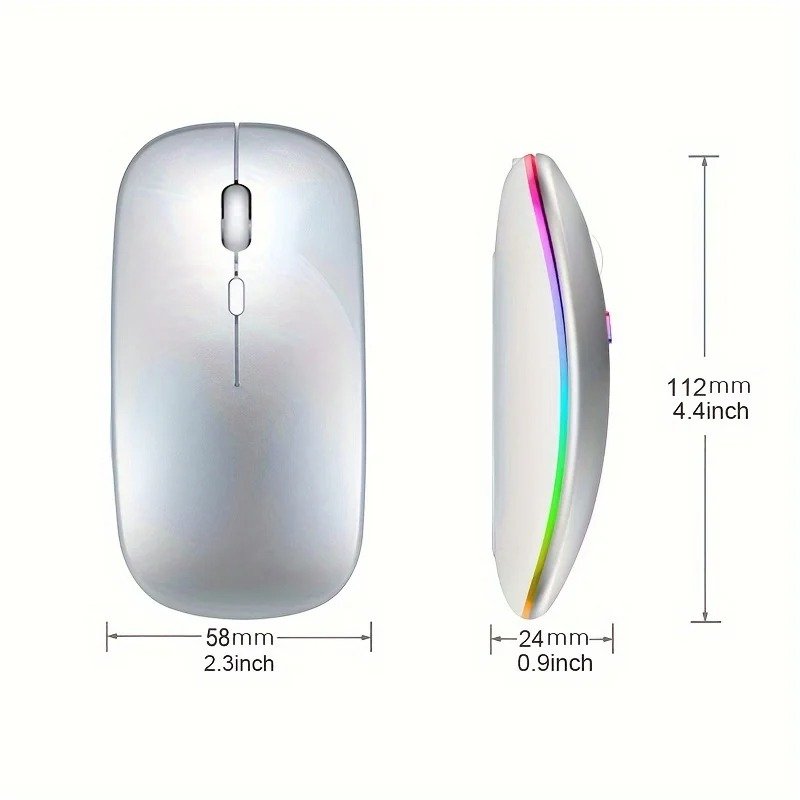
| Dimensions | 112 × 58 × 25 mm |
What’s Included
Package Contents
- 1 × Rechargeable Bluetooth Wireless Mouse
- 1 × USB Nano Receiver
- 1 × USB Charging Cable
Everything needed to begin using the mouse is included.
Technical Specifications
Hardware Specifications
| Specification | Value |
|---|---|
| Wireless Technology | Bluetooth + 2.4GHz |
| Bluetooth Version | Bluetooth 5.1 (Dual-Mode model) |
| Optical Resolution | 800 / 1200 / 1600 DPI |
| Battery Type | Rechargeable Lithium |
| Charging Time | Approximately 3–4 Hours |
| Wireless Distance | Up to 10 m |
| Size | 112 × 58 × 25 mm |
| Operating Systems | Windows, macOS, Android, iPadOS |
Premium Minimalist Design
Designed for Everyday Comfort
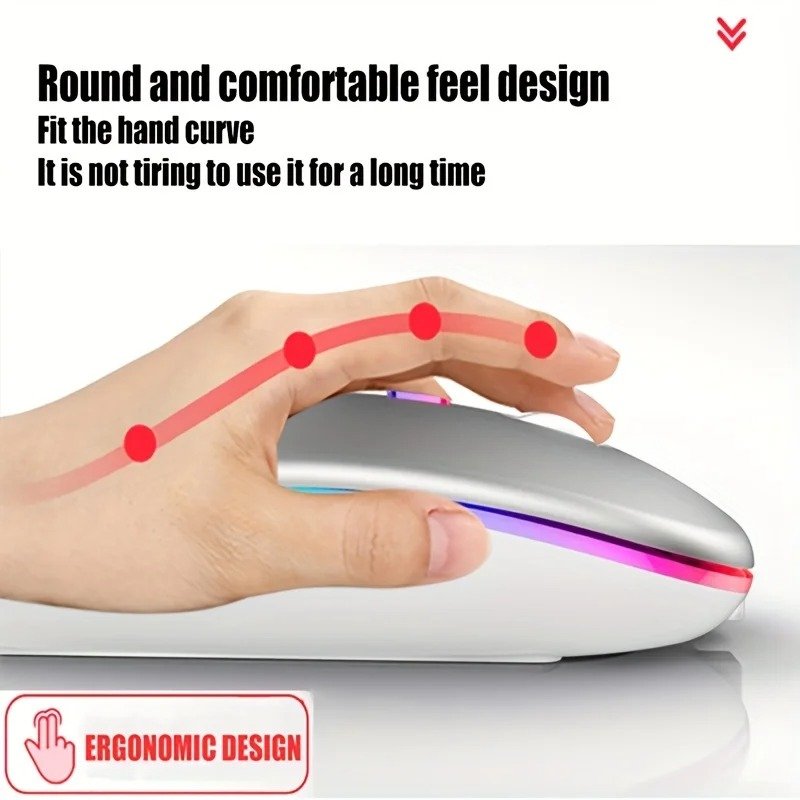
Featuring a slim, modern design, the Rechargeable Bluetooth Wireless Mouse fits comfortably in most hands. During extended use, the gently curved profile encourages a natural hand position, reducing strain.
Design Highlights
- Lightweight body
- Compact dimensions
- Smooth matte finish
- Comfortable palm support
- Easy portability
- Modern RGB accent strip
The clean styling complements both professional office setups and home workstations.
Rechargeable Battery Technology
Say Goodbye to Disposable Batteries
Rechargeable batteries are one of the biggest advantages of this Rechargeable Bluetooth Wireless Mouse.
Using the included USB cable, users can recharge the mouse year-round instead of purchasing batteries.
Benefits
- Lower long-term operating costs
- Environmentally friendly
- Convenient USB charging
- Consistent power output
- Reduced electronic waste
Why Rechargeable Devices Are Growing in Popularity
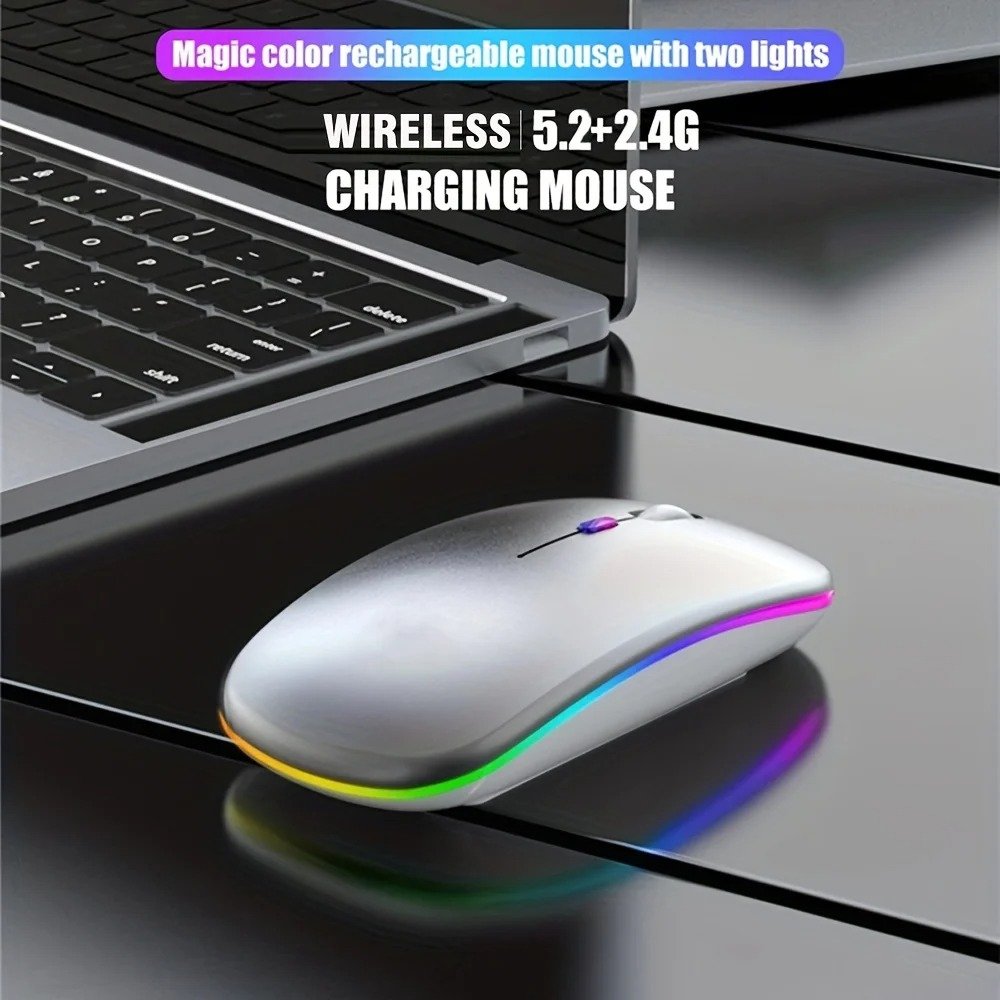
Due to their convenience and reduced maintenance requirements, rechargeable peripherals have become increasingly popular. With one built-in battery, they can often be used for extended periods between charges, making them ideal for everyday use.
Dual Wireless Connectivity
Bluetooth + 2.4GHz Flexibility
The Rechargeable Bluetooth Wireless Mouse offers two wireless connection methods, allowing users to choose the most convenient option.
1. Bluetooth Mode
Bluetooth enables a cable-free connection without occupying a USB port on compatible devices.
Ideal for:
- Laptops
- Tablets
- Ultrabooks
- MacBooks
- iPads
2. 2.4GHz USB Receiver
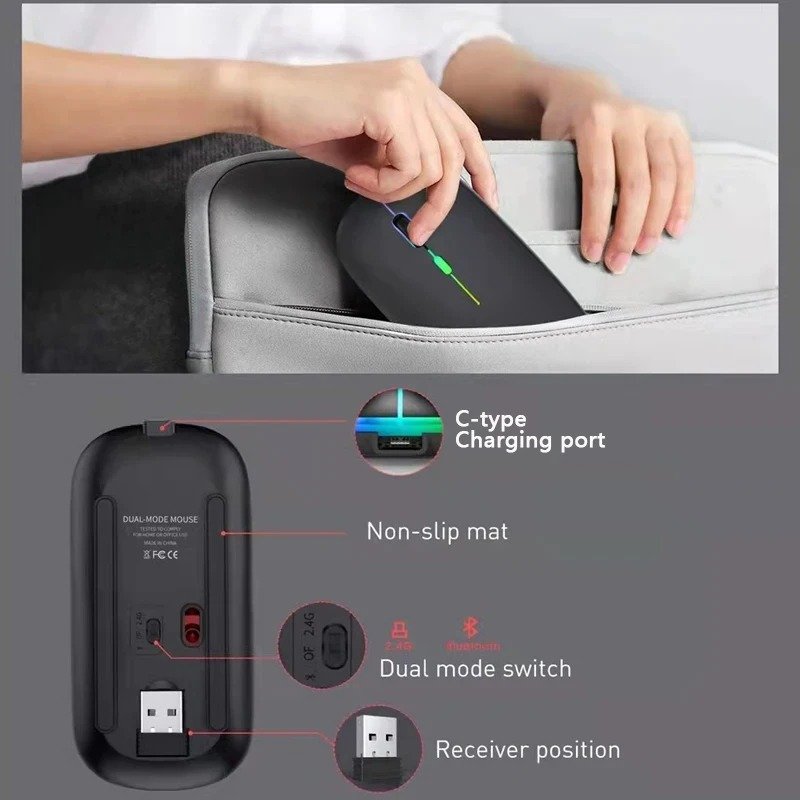
For desktops or devices without Bluetooth support, the included nano receiver provides a reliable wireless connection with minimal setup.
Advantages include:
- Stable performance
- Quick plug-and-play installation
- Low latency
- Reliable communication
Adjustable DPI Settings
Three Sensitivity Levels
Different tasks require different cursor speeds.
This mouse provides three selectable DPI levels.
| DPI | Recommended Use |
|---|---|
| 800 | Precision tasks and document editing |
| 1200 | Everyday browsing and office work |
| 1600 | Large displays and faster navigation |
Switching DPI allows users to tailor cursor responsiveness to their workflow.
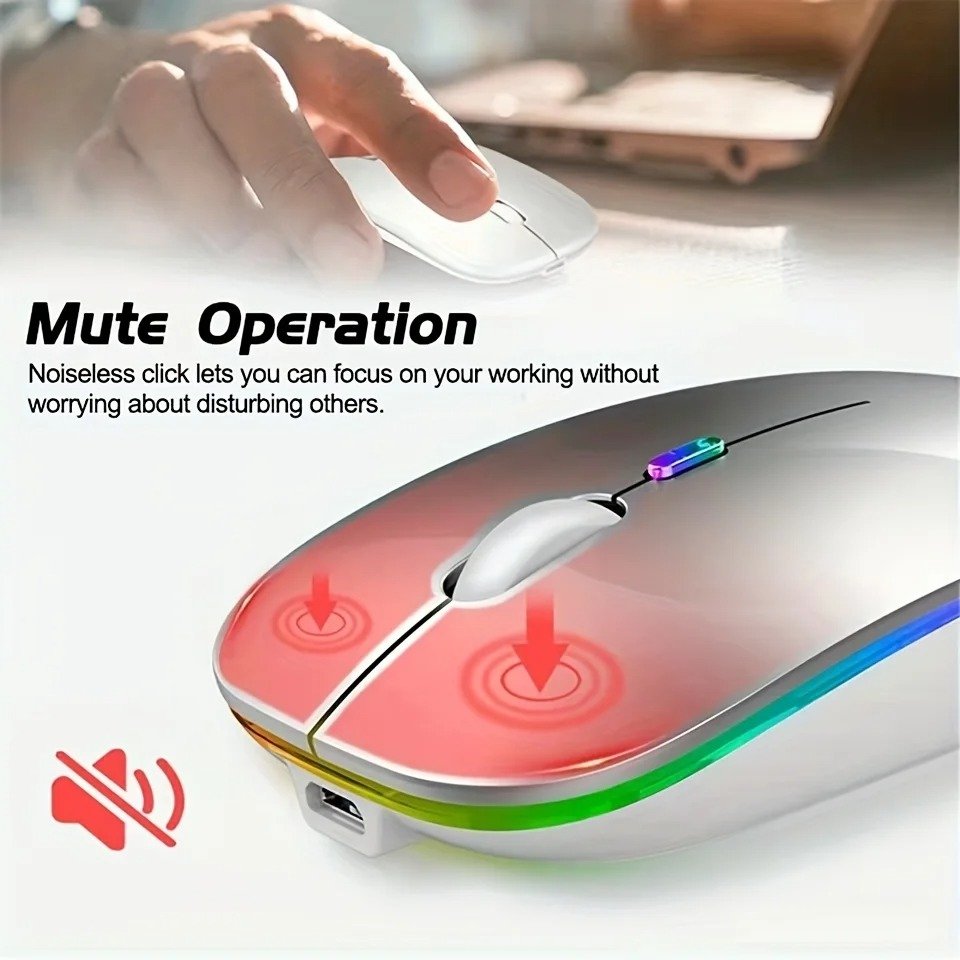
Silent Click Technology
A Quieter Working Experience
The left and right buttons use silent click switches, reducing clicking noise while maintaining responsive feedback.
Perfect For
- Office environments
- Shared workspaces
- Libraries
- Students
- Night-time use
- Home offices
Silent operation helps minimize distractions for both the user and those nearby.
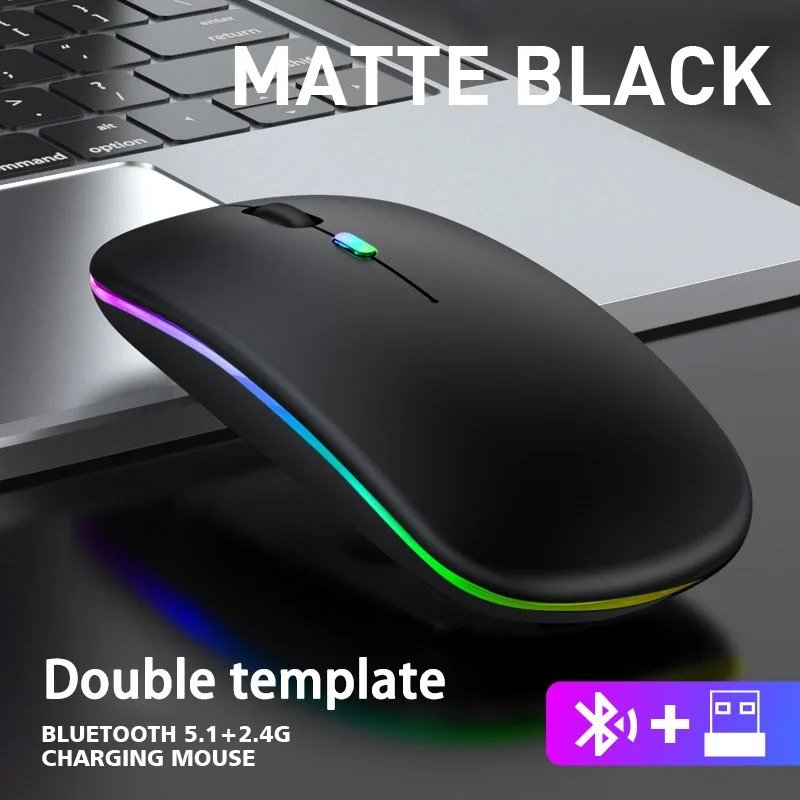
RGB LED Lighting
Stylish Edge Illumination
The integrated RGB light strip adds a modern aesthetic without overwhelming the overall design.
Benefits
- Enhances desk appearance
- Improves visibility in dim lighting
- Complements gaming setups
- Adds a premium touch
Cross-Platform Compatibility
Works Across Multiple Devices
The Rechargeable Bluetooth Wireless Mouse supports a variety of operating systems.
Compatible platforms include:
- Windows
- macOS
- Android
- iPadOS
This broad compatibility makes it a practical choice for users who switch between devices.
Key Features at a Glance
Feature Checklist
- Rechargeable lithium battery
- Bluetooth 5.1 support
- 2.4GHz USB wireless connection
- Silent click buttons
- RGB edge lighting
- Adjustable DPI
- Slim ergonomic design
- Plug-and-play USB receiver
- Up to 10-meter wireless range
- Lightweight construction
Text Infographic
              Rechargeable Bluetooth Wireless Mouse

                     Rechargeable Battery
                              │
                              ▼
                     USB Charging Cable
                              │
                              ▼
                  Bluetooth + 2.4GHz Wireless
                              │
                              ▼
                    Silent Click Technology
                              │
                              ▼
                     Adjustable 800–1600 DPI
                              │
                              ▼
                       RGB Edge Lighting
                              │
                              ▼
                 Multi-Platform Compatibility
Industry Insight
Why Wireless Mice Continue to Grow in Demand
There has been sustained demand for wireless peripherals in the global computer accessories market, driven by remote work, hybrid offices, online education, and portable laptops. Due to their reduced disposable battery waste and greater convenience, rechargeable wireless mice have become increasingly popular. For many users, dual-mode mice have become an attractive choice due to Bluetooth connectivity on modern laptops and tablets.
Real-World Performance Analysis
It should offer more than just wireless convenience with a Rechargeable Bluetooth Wireless Mouse. Smooth tracking, stable connectivity, comfortable handling, and dependable battery performance are what users expect on a daily basis. A compact design combined with all these features makes this model ideal for different computing environments.
The mouse provides a balanced experience without unnecessary complexity, whether you’re managing spreadsheets, attending virtual meetings, editing presentations, browsing the web, or performing light creative work.
Performance in Different Scenarios
1. Office Productivity
For office professionals, precision and comfort are more important than flashy features.
Suitable Tasks
- Word processing
- Excel spreadsheets
- PowerPoint presentations
- Email management
- Video conferencing
- Web browsing
The silent click buttons create a quieter workspace, making the Rechargeable Bluetooth Wireless Mouse ideal for shared offices and open-plan environments.
2. Student Use
Students spend hours researching, writing assignments, attending online classes, and preparing presentations.
Why Students Like Rechargeable Mice
- Lightweight
- Easy to carry
- No disposable batteries
- Quiet during lectures
- Comfortable for long study sessions
The slim profile also fits easily inside laptop sleeves and backpacks.
3. Home Office Performance
Working from home often requires switching between multiple devices.
Bluetooth connectivity makes pairing with laptops quick, while the 2.4GHz receiver offers reliable performance on desktop PCs.
Users can enjoy:
- Stable cursor movement
- Minimal interruptions
- Comfortable long-term use
- Reduced cable clutter
4. Casual Gaming
Although this is not a dedicated esports mouse, it performs well for casual gaming sessions.
Suitable genres include:
- Strategy games
- Puzzle games
- Adventure games
- Simulation games
- Casual shooters
The adjustable DPI helps users find a sensitivity level that matches their preferences.
Bluetooth vs 2.4GHz Wireless
Which Connection Should You Choose?
| Feature | Bluetooth | 2.4GHz USB Receiver |
|---|---|---|
| USB Port Required | No | Yes |
| Easy Pairing | Yes | Plug & Play |
| Connection Stability | Excellent | Excellent |
| Desk Setup | Cleaner | Requires Receiver |
| Best For | Laptops & Tablets | Desktop PCs |
| Mobility | Excellent | Excellent |
Both options perform well, allowing users to select the connection method that best suits their device.
RGB Lighting Experience
More Than Just Decoration
RGB lighting has become a popular feature in modern computer accessories because it enhances desk aesthetics while adding a premium touch.
Advantages
- Stylish workspace
- Modern appearance
- Attractive during night use
- Complements gaming setups
- Enhances desktop ambience
This Rechargeable Bluetooth Wireless Mouse maintains a clean, elegant appearance despite its RGB strip.
Battery Performance
Built for Everyday Convenience
A rechargeable battery removes the need to purchase disposable batteries regularly.
Practical Benefits
- Easy USB charging
- Reduced maintenance
- Lower running costs
- Environmentally friendly
- Consistent performance
Charging takes approximately 3–4 hours, after which the mouse is ready for regular daily use.
Battery Care Tips
To maximize battery lifespan:
- Recharge before the battery is completely depleted.
- Use a quality USB charging source.
- Disconnect the charging cable once fully charged.
- Store the mouse in a dry environment.
- Avoid extreme temperatures.
These simple practices help maintain long-term battery health.
Ergonomic Comfort
Designed for Extended Use
Comfort is one of the biggest reasons users upgrade from basic wired mice.
Ergonomic Advantages
- Natural hand positioning
- Reduced wrist strain
- Comfortable grip
- Lightweight handling
- Smooth movement
The curved body provides balanced support during long working sessions.
Portability
Travel-Friendly Design
Frequent travelers appreciate compact accessories.
The Rechargeable Bluetooth Wireless Mouse easily fits inside:
- Laptop bags
- Backpacks
- Briefcases
- Messenger bags
- Travel organizers
Its lightweight construction makes it suitable for professionals and students on the move.
Silent Click Benefits
A Better Working Environment
Traditional mice often produce loud clicking sounds.
Silent switches reduce noise while maintaining responsive feedback.
Ideal Locations
- Libraries
- Schools
- Offices
- Shared workspaces
- Bedrooms
- Coffee shops
Users nearby are less likely to be disturbed, making this feature particularly valuable during meetings and late-night work.
Multi-Platform Compatibility
One Mouse for Multiple Devices
Compatibility with several operating systems increases versatility.
Supported systems include:
- Windows
- macOS
- Android
- iPadOS
This makes the Rechargeable Bluetooth Wireless Mouse suitable for professionals who regularly switch between devices.
Advantages
1. Performance
- Smooth cursor tracking
- Stable wireless connection
- Responsive buttons
- Adjustable DPI
2. Convenience
- Rechargeable battery
- Bluetooth support
- USB receiver included
- Silent clicking
3. Design
- Slim profile
- RGB lighting
- Comfortable shape
- Lightweight body
Considerations Before Buying
Things to Keep in Mind
Every product has strengths and intended use cases.
1. Best Suited For
- Office work
- Students
- Everyday computing
- Home users
- Remote workers
- Casual gaming
2. May Not Be Ideal For
- Professional esports players who require ultra-high polling rates
- Users seeking extensive programmable buttons
- Heavy-duty graphic design workflows that benefit from specialized mice
Feature Comparison
| Feature | Rechargeable Bluetooth Wireless Mouse | Traditional Wired Mouse |
|---|---|---|
| Wireless Freedom | ✔ | ✘ |
| Rechargeable Battery | ✔ | ✘ |
| Bluetooth | ✔ | ✘ |
| USB Receiver | ✔ | Sometimes |
| Silent Click | ✔ | Usually No |
| RGB Lighting | ✔ | Rare |
| Portability | Excellent | Limited |
| Cable Clutter | None | Present |
Text Infographic
             Everyday Workflow

Rechargeable Battery
          │
          ▼
Bluetooth / 2.4GHz
          │
          ▼
Comfortable Ergonomic Grip
          │
          ▼
Silent Button Operation
          │
          ▼
Smooth Cursor Tracking
          │
          ▼
Higher Productivity
Industry Trends
Wireless Accessories Continue to Expand
Wireless computer peripherals are in high demand alongside hybrid work, remote learning, and mobile computing. The use of rechargeable devices has become increasingly popular since they reduce battery waste and simplify daily use. Modern laptops and tablets often include wireless connectivity and fewer USB ports, so Bluetooth-enabled accessories have also become more common. Dual-mode mice that support both Bluetooth and 2.4GHz wireless remain a practical choice for many users.
Complete Buying Guide
There is more to choosing the right Rechargeable Bluetooth Wireless Mouse than just appearance. You should choose a model that suits your daily workflow, preferred devices, and comfort needs. By using a well-designed mouse, you can increase productivity, reduce hand fatigue, and enjoy a smoother computer experience.
1. Choose the Right Connectivity
One of the biggest advantages of this Rechargeable Bluetooth Wireless Mouse is its dual connection capability.
1.1. Bluetooth Connection
Bluetooth is an excellent choice for:
- MacBooks
- Modern Windows laptops
- Tablets
- iPads
- Android devices
Advantages include:
- No USB receiver required
- Cleaner workspace
- Easy pairing
- Better portability
1.2. 2.4GHz USB Receiver
The included USB nano receiver is ideal for:
- Desktop computers
- Older laptops
- Devices without Bluetooth
- Users who prefer plug-and-play simplicity
2. Battery Life Matters
Rechargeable devices save both money and time.
Users don’t have to buy disposable batteries all year long since the built-in lithium battery can be recharged using the USB cable included.
Benefits include:
- Lower operating costs
- Less electronic waste
- Consistent performance
- Convenient charging
3. Comfort Is Essential
A mouse may be used for several hours every day.
Choose one that offers:
- Comfortable palm support
- Smooth curved edges
- Lightweight construction
- Easy grip
- Responsive buttons
The ergonomic shape of this Rechargeable Bluetooth Wireless Mouse helps reduce wrist strain during extended use.
4. Adjustable DPI
Different users require different cursor speeds.
Recommended settings:
| DPI | Best For |
|---|---|
| 800 | Precision work |
| 1200 | Office and browsing |
| 1600 | Large displays and faster movement |
5. Silent Buttons
If you work around other people, silent switches can significantly improve your experience.
Suitable environments include:
- Offices
- Libraries
- Meeting rooms
- Classrooms
- Home offices
Cleaning & Maintenance
1. Keep Your Mouse Performing Like New
Regular cleaning helps maintain accuracy and extends the lifespan of your mouse.
Weekly Maintenance
- Wipe the surface with a microfiber cloth.
- Remove dust from the sensor area.
- Clean around the scroll wheel.
- Avoid liquid cleaners directly on the device.
- Keep the charging port free from debris.
2. Battery Care Tips
To maximize battery longevity:
- Recharge before the battery becomes completely empty.
- Avoid overcharging for long periods.
- Store the mouse in a cool, dry place.
- Use the supplied charging cable or a quality USB cable.
Common Mistakes to Avoid
1. Ignoring DPI Settings
Many users never adjust the DPI, even though changing sensitivity can improve comfort and accuracy.
2. Using Low-Quality Charging Sources
Charging efficiency may be reduced by unstable power sources. It is recommended to use a reliable USB port or certified charger.
3. Blocking the Optical Sensor
Tracking accuracy can be reduced by dust and dirt on the sensor. Maintaining smooth performance requires periodic cleaning.
4. Using on Unsuitable Surfaces
For the best experience, use the mouse on a smooth desk or mouse pad.
Who Should Buy This Rechargeable Bluetooth Wireless Mouse?
1. Professionals
Ideal for:
- Office workers
- Remote employees
- Business users
2. Students
Perfect for:
- Online learning
- Research
- Assignments
- Presentations
3. Home Users
Great for:
- Internet browsing
- Streaming
- Shopping
- Everyday computing
4. Casual Gamers
Suitable for:
- Strategy games
- Puzzle games
- Simulation games
- Adventure titles
Pros & Cons
Pros
- Rechargeable lithium battery
- Bluetooth 5.1 connectivity (dual-mode model)
- 2.4GHz USB wireless receiver
- Silent click buttons
- Adjustable 800/1200/1600 DPI
- RGB edge lighting
- Compact and lightweight
- Ergonomic shape
- Compatible with Windows, macOS, Android, and iPadOS
- USB charging cable included
Cons
- No dedicated programmable side buttons
- Not designed specifically for competitive esports
- RGB lighting may not appeal to users who prefer a completely minimalist look
Frequently Asked Questions
1. Is this mouse rechargeable?
Yes. It includes a built-in rechargeable lithium battery and is charged via the included USB cable.
2. Does it support Bluetooth?
Yes. The dual-mode version supports Bluetooth 5.1 as well as a 2.4GHz wireless USB receiver.
3. Can I use it with Windows?
Yes. It supports Windows computers.
4. Does it work with macOS?
Yes. It is compatible with macOS.
5. Is it compatible with Android tablets?
Yes. Bluetooth-compatible Android devices can use this mouse.
6. Can it connect to an iPad?
Yes. It supports iPadOS through Bluetooth compatibility.
7. Is it suitable for office work?
Absolutely. Silent clicks, wireless connectivity, and adjustable DPI make it well suited for office environments.
8. Does it include a USB receiver?
Yes. A nano USB receiver is included in the package.
9. Can I adjust cursor speed?
Yes. Three DPI levels (800, 1200, and 1600) allow you to adjust cursor sensitivity.
10. Is the mouse portable?
Yes. Its slim and lightweight design makes it easy to carry in a laptop bag or backpack.
Text Infographic
                 Rechargeable Bluetooth Wireless Mouse

                Rechargeable Battery
                         │
                         ▼
              Bluetooth + 2.4GHz Wireless
                         │
                         ▼
                Adjustable 800–1600 DPI
                         │
                         ▼
                 Silent Click Buttons
                         │
                         ▼
                  RGB Edge Lighting
                         │
                         ▼
              Windows • macOS • Android • iPadOS
                         │
                         ▼
             Comfortable Everyday Productivity
Why This Product Stands Out
With its combination of portability, convenience, and modern features, the Rechargeable Bluetooth Wireless Mouse is a practical choice. With dual wireless connectivity and a rechargeable battery, users can use this device across multiple devices, which reduces long-term costs and battery waste. For everyday tasks, the adjustable DPI settings provide better control and make it suitable for shared workspaces. This wireless mouse features RGB edge lighting, which enhances its appearance without compromising its professional design, making it an ideal choice for students, office workers, home users, and anyone looking for a reliable wireless mouse.
Final Verdict
The Rechargeable Bluetooth Wireless Mouse from this brand is a great option if you need a product that combines functionality with modern styling. This mouse is suitable for a wide range of everyday computing tasks, thanks to its rechargeable battery, Bluetooth and 2.4GHz connectivity, silent click technology, and adjustable DPI.
It offers the features most users need in a compact and comfortable design, rather than focusing on unnecessary complexity. This mouse offers a practical balance of performance, convenience, and value, whether you are upgrading from a wired mouse or replacing an older wireless model.
