

Introduction
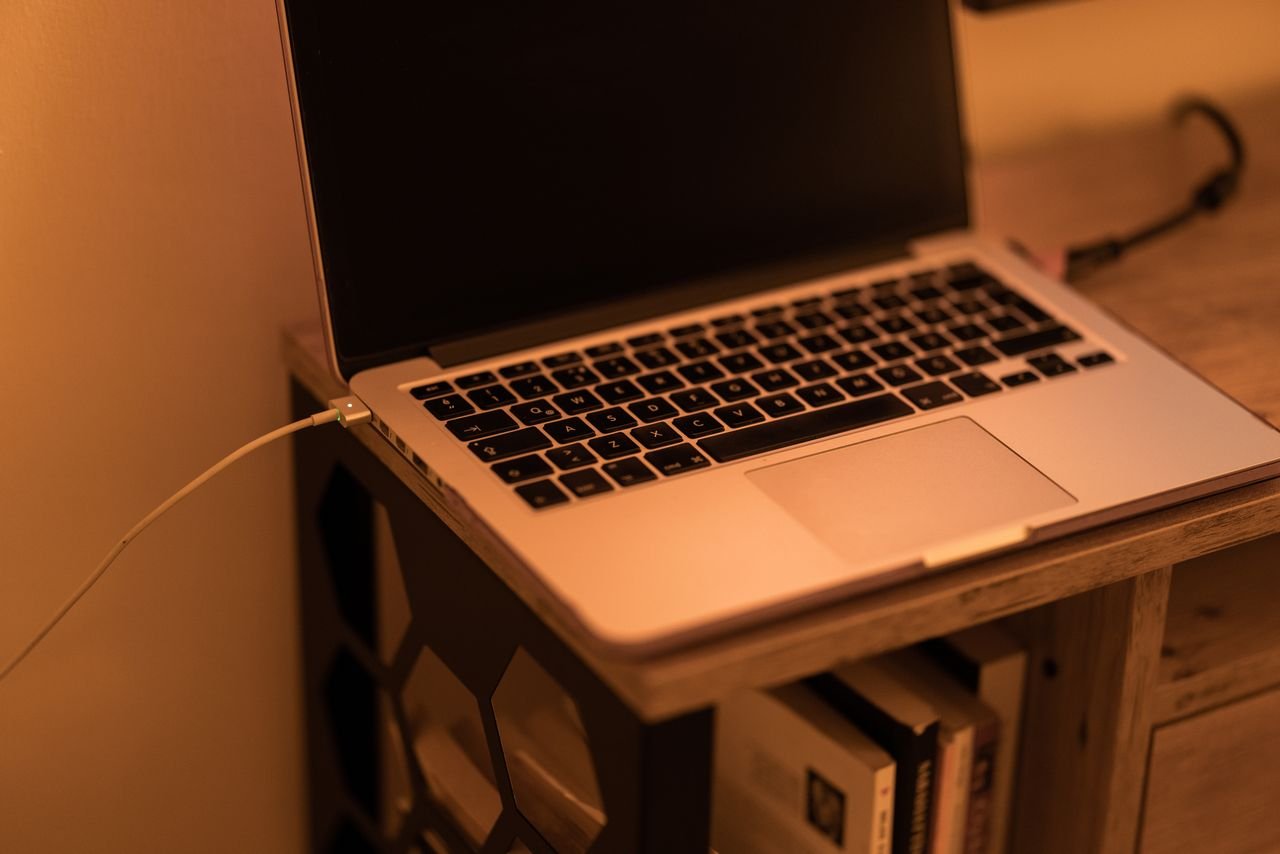
A laptop charger is an essential accessory for anyone who uses a laptop. The right laptop charger ensures long-term device performance, battery life, and stable power delivery, regardless of whether you own a business laptop, gaming machine, student notebook, or workstation.
Increasing laptop power has led to significant advancements in charging technology in 2026. With modern chargers, charging speeds are faster, USB-C is compatible, intelligent power management is available, and the energy efficiency has improved.
Without a proper charger, users may experience:
- Slow charging
- Battery degradation
- Performance throttling
- Unexpected shutdowns
- Hardware damage
Table of Contents
What Is a Laptop Charger?
A laptop charger is a power supply device that converts electrical energy from a wall outlet into a form that a laptop can safely use.
Its primary functions include:
- Supplying power to the laptop
- Charging the battery
- Regulating voltage and current
- Protecting components from power fluctuations
Main Components of a Laptop Charger
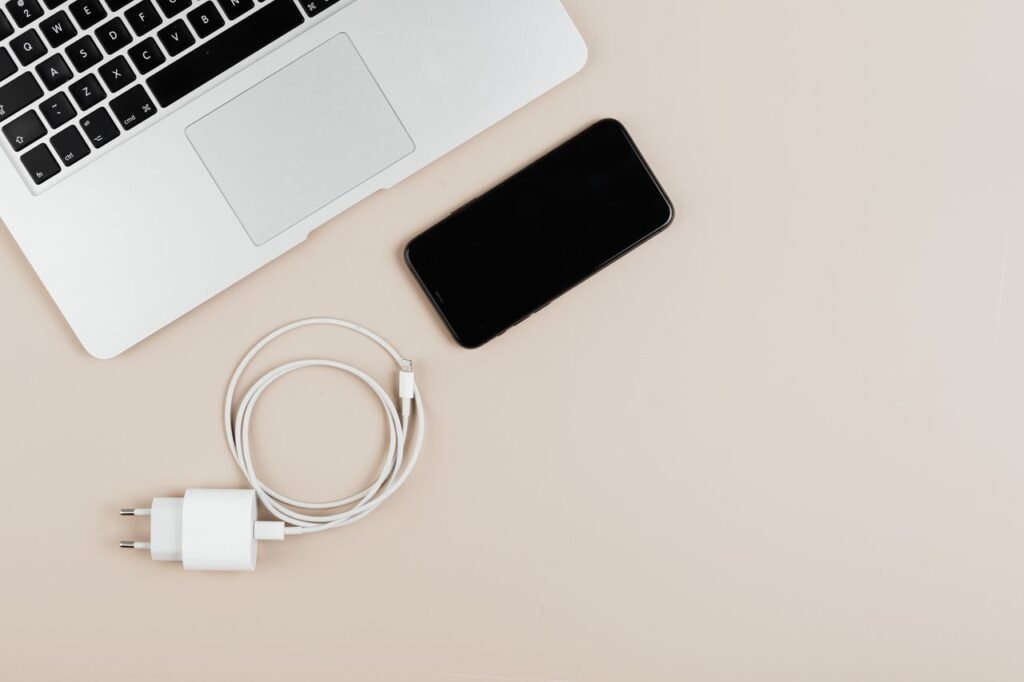
Every laptop charger contains several important parts:
| Component | Function |
|---|---|
| Power Plug | Connects charger to wall outlet |
| Power Cable | Transfers electricity |
| AC Adapter | Converts AC power to DC power |
| Connector Tip | Connects charger to laptop |
| Safety Circuit | Prevents overheating and surges |
How a Laptop Charger Works
The charging process appears simple, but several electronic processes occur simultaneously.
Step-by-Step Charging Process
- Electricity enters through wall socket.
- Charger receives AC power.
- Adapter converts AC into DC.
- Voltage is regulated.
- Current flows to laptop battery.
- Battery Management System controls charging speed.
- Laptop receives power and battery charges safely.
Text Infographic
Wall Outlet
     │
     ▼
 AC Electricity
     │
     ▼
 Laptop Charger
     │
     ▼
 AC to DC Conversion
     │
     ▼
 Voltage Regulation
     │
     ▼
 Laptop Battery
     │
     ▼
 Stored Energy
Importance of Using the Correct Laptop Charger
Using an incorrect charger can negatively affect laptop performance and battery health.
1. Benefits of Using the Right Laptop Charger
- Maximum charging efficiency
- Longer battery lifespan
- Stable power delivery
- Reduced overheating
- Better device protection
- Manufacturer warranty compliance
2. Risks of Using Wrong Chargers
- Battery damage
- Motherboard issues
- Charging failures
- Power fluctuations
- Reduced laptop lifespan
Evolution of Laptop Chargers
Laptop charging technology has changed dramatically over the past decade.
Historical Development
| Period | Charger Technology |
|---|---|
| 2000–2005 | Large proprietary adapters |
| 2006–2010 | Improved efficiency |
| 2011–2015 | Slimmer charger designs |
| 2016–2020 | USB-C adoption begins |
| 2021–2024 | Fast charging technology |
| 2025–2026 | Universal USB-C charging expansion |
Laptop Charger Market Statistics in 2026
The global laptop accessory industry continues to expand due to remote work, education, and gaming demand.
Global Laptop Charger Industry Data
| Metric | Estimated Value 2026 |
|---|---|
| Global Laptop Users | 2+ Billion |
| USB-C Compatible Laptops | 78% |
| Fast Charging Support | 72% |
| Gaming Laptop Chargers Sold Annually | 65+ Million |
| Replacement Charger Purchases | 180+ Million |
Key Industry Trends
- USB-C becoming standard
- Smaller charger designs
- Gallium Nitride (GaN) technology growth
- Higher wattage chargers
- Smart charging systems
Understanding Laptop Charger Specifications
Many users ignore charger specifications, but understanding them helps prevent compatibility issues.
1. Voltage
Voltage refers to electrical pressure delivered by the charger.
Common voltages:
- 5V
- 9V
- 12V
- 15V
- 19V
- 20V
2. Current
Current measures electrical flow.
Common charger ratings:
- 2A
- 3A
- 4.5A
- 5A
- 6A
3. Wattage
Wattage determines charging power.
Formula:
Watts = Voltage × CurrentExamples
| Voltage | Current | Wattage |
|---|---|---|
| 19V | 3.42A | 65W |
| 20V | 3.25A | 65W |
| 20V | 5A | 100W |
| 20V | 7A | 140W |
Common Charger Wattages
Different laptops require different charger capacities.
1. Entry-Level Laptops
| Laptop Type | Charger Wattage |
|---|---|
| Chromebook | 30W–45W |
| Basic Notebook | 45W–65W |
| Student Laptop | 45W–65W |
2. Professional Laptops
| Device Category | Wattage |
|---|---|
| Business Laptop | 65W |
| Ultrabook | 65W–100W |
| Productivity Laptop | 90W–100W |
3. Gaming Laptops
| Gaming Category | Charger Power |
|---|---|
| Mid-Range Gaming | 120W–180W |
| High-End Gaming | 230W–330W |
| Desktop Replacement | 330W+ |
Laptop Charger Connector Types
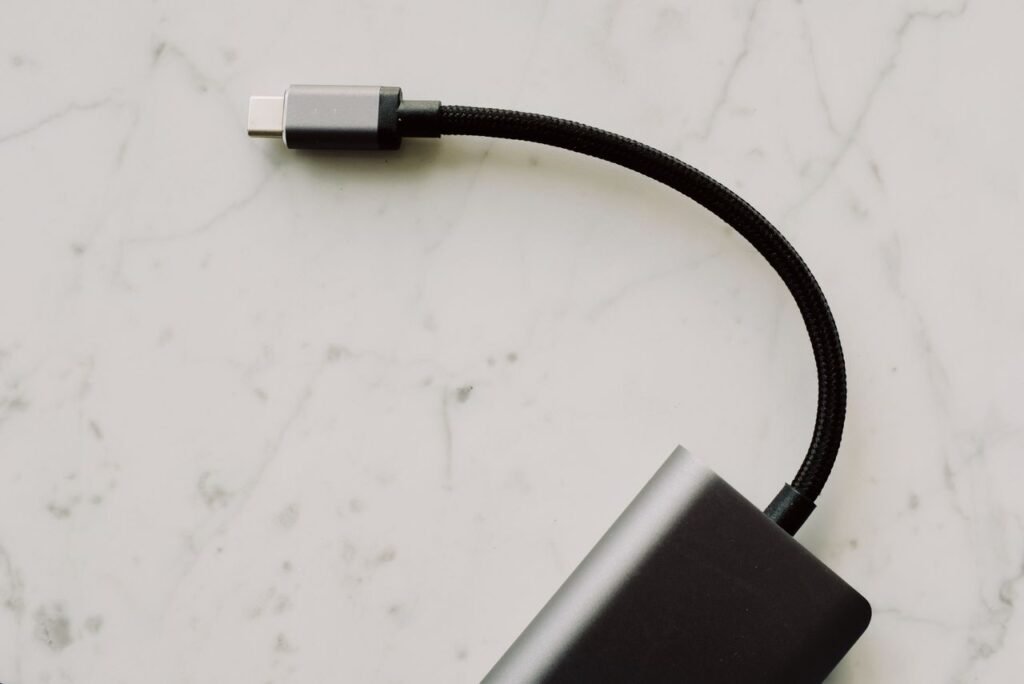
The connector tip is what physically connects the charger to the laptop.
1. Barrel Connectors
Traditional circular charging ports.
Advantages:
- Durable
- Reliable
- Common in older laptops
Disadvantages:
- Not universal
- Different sizes
2. USB-C Chargers
USB-C has become the modern standard.
Advantages:
- Universal compatibility
- Faster charging
- Data transfer support
- Reversible design
Disadvantages:
- Not all USB-C ports support charging
- Compatibility can vary between devices
- High-power cables may cost more
- Some older laptops do not support USB-C charging
3. Magnetic Connectors
Used in selected premium laptops.
Advantages:
- Easy attachment
- Reduced port damage
- Enhanced safety
Disadvantages:
- Limited compatibility
- Usually proprietary to specific brands
- Replacement cables can be expensive
- May disconnect unintentionally if bumped
Charger Efficiency Ratings
Efficiency determines how much power reaches the laptop versus how much is lost as heat.
Efficiency Comparison
| Charger Quality | Average Efficiency |
|---|---|
| Low Quality | 70–75% |
| Standard | 80–85% |
| Premium | 90–95% |
| GaN Chargers | 95%+ |
What Is GaN Charger Technology?
This material is replacing traditional silicon in many modern chargers.
Benefits of GaN Laptop Chargers
- Smaller size
- Less heat generation
- Higher efficiency
- Faster charging
- Better portability
Text Infographic
Traditional Charger
===================
Large Size
More Heat
Lower Efficiency

GaN Charger
===================
Compact Design
Less Heat
Higher Efficiency
Faster Charging
Signs Your Charger Needs Replacement
Laptop chargers wear out over time.

1. Warning Signs
- Intermittent charging
- Frayed cables
- Burning smell
- Excessive heat
- Loose connector
- Visible damage
- Sparks during connection
2. Immediate Replacement Situations
Replace your charger immediately if:
- Wires are exposed
- Adapter overheats frequently
- Connector melts
- Charging becomes unstable
Impact of Laptop Chargers on Battery Health
Many users focus on battery quality but overlook charger quality.
1. Charger Influence on Battery Life
A quality charger helps:
- Maintain stable voltage
- Reduce heat
- Prevent overcharging
- Improve charging cycles
2. Poor Charger Effects
- Faster battery degradation
- Increased heat
- Reduced runtime
- Potential battery swelling
Original vs Third-Party Chargers
One of the most common questions among laptop owners is whether original chargers are necessary.
1. Original Chargers
Advantages:
- Manufacturer certified
- Guaranteed compatibility
- Better protection systems
- Reliable performance
Disadvantages:
- Higher price
- Limited availability
2. Third-Party Chargers
Advantages:
- Lower cost
- Wider availability
- Multiple charging options
Disadvantages:
- Quality varies
- Compatibility concerns
- Potential safety risks
Comparison Table
| Feature | Original Charger | Third-Party Charger |
|---|---|---|
| Compatibility | Excellent | Varies |
| Safety | Excellent | Depends on brand |
| Warranty Support | Yes | Usually No |
| Price | Higher | Lower |
| Reliability | High | Moderate to High |
Types of Laptop Charging Solutions Available in 2026
There are different types of power adapters for different purposes. In order to choose the best accessory for a device and usage scenario, users need to understand the available options.
1. Standard OEM Adapters
These are supplied by manufacturers and are specifically designed for individual device models.
Features
- Certified compatibility
- Optimized voltage regulation
- Reliable performance
- Integrated protection circuits
Best For
- Business users
- Students
- Professional workloads
2. Universal Adapters
Universal models support multiple devices through interchangeable tips and adjustable voltage settings.
Advantages
- Works with multiple brands
- Useful for travel
- Cost-effective replacement
Disadvantages
- Compatibility limitations
- Requires proper configuration
- Lower reliability in cheap models
USB-C Power Delivery Solutions
USB-C PD has become the dominant charging standard.
Common Power Delivery Levels
| Power Delivery Standard | Maximum Output |
|---|---|
| USB-C PD 3.0 | 100W |
| USB-C PD 3.1 | 140W |
| Enhanced PD | 180W+ |
Benefits
- Universal support
- Faster charging
- Reduced cable clutter
- Single charger for multiple devices
Fast Charging Technologies Explained
Charging speed has become a major factor in productivity.
How Fast Charging Works
Fast charging increases power delivery while monitoring:
- Battery temperature
- Voltage levels
- Charging cycles
- Internal resistance
Typical Charging Speeds
| Battery Capacity | Standard Charging | Fast Charging |
|---|---|---|
| 40Wh | 2 Hours | 45 Minutes |
| 60Wh | 3 Hours | 60 Minutes |
| 80Wh | 4 Hours | 90 Minutes |
| 100Wh | 5 Hours | 120 Minutes |
Text Infographic
Power Source
      │
      ▼
Smart Adapter
      │
      ▼
Battery Management System
      │
      ▼
Temperature Monitoring
      │
      ▼
Optimized Charging Speed
      │
      ▼
Fully Charged Battery
Understanding USB-C Power Delivery
USB-C Power Delivery (PD) allows devices to negotiate the exact power required.
1. Benefits of Power Delivery
- Automatic voltage adjustment
- Device recognition
- Improved efficiency
- Better battery protection
2. Supported Voltage Levels
| Voltage | Common Usage |
|---|---|
| 5V | Smartphones |
| 9V | Tablets |
| 12V | Small notebooks |
| 15V | Ultrabooks |
| 20V | High-performance systems |
Power Requirements by Device Category
1. Student Devices
| Category | Recommended Power |
|---|---|
| Chromebook | 30W–45W |
| Entry-Level Notebook | 45W |
| Educational Laptop | 45W–65W |
2.Business Systems
| Category | Recommended Power |
|---|---|
| Office Device | 65W |
| Productivity Machine | 65W–90W |
| Workstation | 100W–140W |
3. Gaming Systems
| Category | Power Requirement |
|---|---|
| Budget Gaming | 120W–180W |
| Mid-Range Gaming | 180W–240W |
| Premium Gaming | 240W–330W |
| Desktop Replacement | 330W–400W |
Buying Guide for 2026
Choosing the correct charging accessory involves more than matching the connector.
Important Factors
1. Wattage
Always select equal or higher wattage than the original specification.
2. Connector Compatibility
Verify:
- Port type
- Pin size
- USB-C support
3. Build Quality
Look for:
- Reinforced cables
- Fire-resistant materials
- Overcurrent protection
4. Efficiency Rating
Higher efficiency means:
- Less heat
- Lower energy waste
- Longer lifespan
5. Portability
Frequent travelers should prioritize:
- Compact designs
- Foldable plugs
- Lightweight adapters
Features Worth Paying Extra For
Premium Features Checklist
- GaN technology
- USB-C Power Delivery
- Multi-device support
- Surge protection
- Temperature monitoring
- Smart charging optimization
- Durable braided cable
- International voltage support
Common Charging Problems and Solutions
1. Device Not Charging
Common Reasons
- Faulty cable
- Damaged adapter
- Dirty charging port
- Software issue
Solutions
- Restart device
- Clean charging port
- Test another outlet
- Check cable integrity
2. Slow Charging
Common Reasons
- Low-wattage adapter
- Background applications
- Battery aging
- Poor cable quality
Solutions
- Use higher-rated power source
- Close unnecessary applications
- Replace damaged cable
3. Overheating
Common Reasons
- Poor ventilation
- Faulty circuitry
- Excessive workload
Solutions
- Improve airflow
- Disconnect during overheating
- Replace damaged equipment
Safety Precautions Every User Should Follow
Electrical safety should never be ignored.

Essential Safety Rules
- Use certified products only
- Avoid damaged cables
- Keep away from water
- Do not cover adapters during use
- Disconnect during lightning storms
- Store in cool environments
Warning Signs of Dangerous Equipment
| Warning Sign | Risk Level |
|---|---|
| Burning Smell | Very High |
| Visible Sparks | Very High |
| Melted Connector | Critical |
| Swollen Adapter | Critical |
| Extreme Heat | High |
| Cracked Housing | Moderate |
Maintenance Tips for Long-Term Reliability
Proper care significantly extends accessory lifespan.
1. Daily Habits
- Unplug carefully
- Avoid cable twisting
- Store properly after use
- Keep connectors clean
2. Monthly Maintenance
- Inspect cables
- Remove dust
- Check for loose connectors
- Verify charging performance
Text Infographic
Daily Care
    │
    ▼
Cable Inspection
    │
    ▼
Port Cleaning
    │
    ▼
Temperature Check
    │
    ▼
Performance Testing
    │
    ▼
Longer Lifespan
Energy Consumption and Electricity Costs
Power adapters consume electricity whenever charging occurs.
Annual Electricity Estimate
| Power Rating | Average Annual Usage Cost |
|---|---|
| 45W | Low |
| 65W | Moderate |
| 100W | Moderate |
| 240W | High |
| 330W | Very High |
Actual costs depend on local electricity rates.
Environmental Impact and Sustainability
Manufacturers are increasingly focusing on sustainability.
1. Eco-Friendly Trends
- Smaller packaging
- Recyclable materials
- Energy-efficient designs
- Reduced electronic waste
- Universal charging standards
2. Sustainability Benefits
- Fewer discarded accessories
- Lower manufacturing emissions
- Reduced resource consumption
Industry Trends for 2026 and Beyond
Several innovations are shaping the future of portable computing power systems.
Emerging Technologies
1. GaN Expansion
Benefits include:
- Smaller adapters
- Better thermal performance
- Higher efficiency
2. Smart Power Management
Future systems will:
- Predict charging behavior
- Optimize battery health
- Reduce energy waste
3. Higher USB-C Power Levels
Expected developments:
- Faster charging
- Wider compatibility
- Universal adoption
Future Innovations Expected by 2030
Industry Predictions
| Innovation | Expected Impact |
|---|---|
| AI Power Optimization | Higher efficiency |
| Universal USB-C Adoption | Reduced waste |
| Advanced Battery Protection | Longer battery life |
| Wireless High-Power Charging | Greater convenience |
| Smarter Energy Monitoring | Improved safety |
Frequently Asked Questions
1. Can I use a higher wattage adapter?
Yes. The device only draws the power it needs, provided voltage is compatible.
2. Is USB-C replacing traditional connectors?
Yes. Most new models are moving toward USB-C Power Delivery standards.
3. How long should an adapter last?
According to usage and maintenance, quality products typically last 3 to 7 years.
4. Is overheating normal?
It is normal to feel warm. It is not acceptable and should be investigated when there is excessive heat.
5. Are cheap replacements safe?
Only if they meet recognized safety certifications and quality standards. experience for years to come.
Key Factors to Consider
1. Power Output
Always choose a laptop charger that matches or exceeds the power requirements of your device.
2. Connector Compatibility
In order to charge your laptop, the charger must have the correct connector or support USB-C Power Delivery if your device supports it.
3. Safety Features
A laptop charger should have the following features:
- Over-voltage protection
- Over-current protection
- Short-circuit protection
- Thermal protection
Charger Compatibility by Device Type
Not all laptop chargers are compatible with all devices. Voltage, amperage, wattage, and connector design determine compatibility.
Typical Requirements
| Device Type | Recommended Laptop Charger |
|---|---|
| Chromebook | 30W–45W Laptop Charger |
| Student Notebook | 45W–65W Laptop Charger |
| Business Laptop | 65W–100W Laptop Charger |
| Creator Laptop | 100W–140W Laptop Charger |
| Gaming Laptop | 180W–330W Laptop Charger |
Compatibility Checklist
Verify the following before purchasing a laptop charger:
- Voltage
- Wattage
- Connector size
- Brand compatibility
- USB-C support
- Certification marks
Original Laptop Charger vs Replacement Laptop Charger
Third-party laptop chargers are more affordable than original laptop chargers, but many users are wondering which is better.
1. Original Charger
Advantages:
- Guaranteed compatibility
- Manufacturer-approved design
- Better reliability
- Consistent performance
Disadvantages:
- Higher cost
- Limited availability
2. Replacement Charger
Advantages:
- Affordable pricing
- Wider availability
- Multiple design options
Disadvantages:
- Quality varies
- Some models may not meet safety standards
Comparison Table
| Feature | Original Laptop Charger | Replacement Laptop Charger |
|---|---|---|
| Reliability | Excellent | Varies |
| Safety | Excellent | Depends on Brand |
| Warranty Support | Yes | Limited |
| Price | Higher | Lower |
| Compatibility | Guaranteed | Must Verify |
Signs You Need a New Laptop Charger
Laptop chargers that fail can cause charging problems and reduce productivity.
Common Warning Signs
- Slow charging
- Intermittent charging
- Overheating
- Damaged cable
- Loose connector
- Flickering charging indicator
If your charger displays any of these symptoms, replacement may be necessary.
Laptop Charger Safety Guide
Safety should always be a priority when using any laptop charger.
Best Practices
- Keep the charger away from water.
- Avoid bending the cable excessively.
- Unplug the charger when not in use.
- Store the charger in a cool location.
- Replace a damaged charger immediately.
Dangerous Warning Signs
| Warning Sign | Risk |
|---|---|
| Burning Smell | Critical |
| Sparks | Critical |
| Melted Connector | Severe |
| Swollen Adapter | Severe |
| Excessive Heat | High |
Never use a charger showing these warning signs.
Best Laptop Charger Features in 2026
The technology of laptop chargers has dramatically improved over the past few years.
Most Important Features
1. USB-C Power Delivery
A USB-C laptop charger can often power multiple devices.
2. GaN Technology
GaN-based charger designs offer:
- Higher efficiency
- Smaller size
- Reduced heat
3. Smart Charging
A smart charger can optimize power delivery and protect battery health.
Travel-Friendly Charger Solutions
Frequent travelers should invest in a portable laptop charger.
Travel Features
Look for a charger with:
- Compact design
- Foldable plug
- Multi-port charging
- Universal voltage support
Text Infographic
Travel Laptop Charger
          │
          ▼
 Compact Design
          │
          ▼
 Universal Voltage
          │
          ▼
 USB-C Support
          │
          ▼
 Easy Portability
Common Laptop Charger Problems and Fixes
1. Charger Not Working
Possible reasons:
- Faulty outlet
- Broken cable
- Internal adapter damage
- Dirty charging port
Solutions:
- Test another outlet
- Inspect the charger
- Clean the charging port
- Replace damaged components
2. Charger Gets Too Hot
A laptop charger naturally becomes warm during operation. However, excessive heat may indicate:
- Overload
- Poor ventilation
- Internal failure
3. Fixes
- Improve airflow
- Disconnect unused peripherals
- Upgrade to a higher-quality charger
Data Report: Consumer Preferences for Laptop Charger Purchases
1. Most Important Buying Factors
| Factor | Importance |
|---|---|
| Compatibility | 35% |
| Reliability | 25% |
| Safety | 15% |
| Fast Charging | 10% |
| Price | 8% |
| Portability | 7% |
2. Most Requested Laptop Charger Features
- USB-C compatibility
- Fast charging
- Compact design
- Better heat management
- Multi-device support
- Longer lifespan
Best Practices for Extending Laptop Charger Lifespan
A quality charger can last for years if maintained properly.
Maintenance Checklist
- Keep cables untangled
- Store the charger properly
- Avoid dropping the charger
- Clean connectors regularly
- Protect from moisture
- Avoid excessive heat
Future of Laptop Charger Technology
The future laptop charger market will focus on:
- Universal charging standards
- AI-powered charging optimization
- Higher efficiency designs
- Smaller form factors
- Advanced battery protection
Future Innovations
| Technology | Expected Benefit |
|---|---|
| AI Charging | Smarter power delivery |
| Advanced GaN | Smaller adapters |
| Universal USB-C | Better compatibility |
| Wireless Power | Greater convenience |
| Smart Monitoring | Enhanced safety |
Expert Recommendations
It is always a good idea to verify compatibility, power requirements, and certifications before purchasing a laptop charger. Reliable chargers should provide stable performance, efficient charging, and long-term durability.
You can reduce replacement costs, improve safety, and extend your laptop’s lifespan by investing in a premium charger.
Final Summary
- Choose the correct charger wattage.
- Buy a certified laptop charger.
- Verify connector compatibility.
- Consider a GaN charger for portability.
- Replace a damaged charger immediately.
- Maintain your charger regularly.
- Prioritize quality over price.
By 2026 and beyond, users will be able to enjoy faster charging, improved battery protection, and a safer computing experience with the right laptop charger.
